
Download Google Chrome Backup – backup Chrome profile, Chrome data backup, Chrome utility, Chrome profile manager, backup browser settings
Overview
Google Chrome Backup is a focused utility designed to help users safeguard their personalized browser configurations and data. As digital workflows become increasingly dependent on browser-based tools, the risk of losing critical settings, bookmarks, passwords, and extensions due to system failures or reinstallation is a growing concern. This app addresses that vulnerability by providing a streamlined method to back up Google Chrome profiles. It is especially beneficial for individuals who rely heavily on their browser for work, research, or personal organization, where recreating a customized environment can be time-consuming and frustrating.
The application is developed by Google LLC, a well-established technology provider known for its robust digital ecosystem. While specific details about the developer’s broader product strategy are not provided, the app’s integration with Chrome’s native profile architecture suggests a targeted effort to enhance user data resilience. Real-world use cases include pre-upgrade backups before major OS changes, recovery after accidental deletions, and seamless migration between devices. In the broader app ecosystem, Google Chrome Backup fills a niche gap by offering a lightweight, dedicated solution for a common but often overlooked need: browser data protection.
Key Features & Functionality
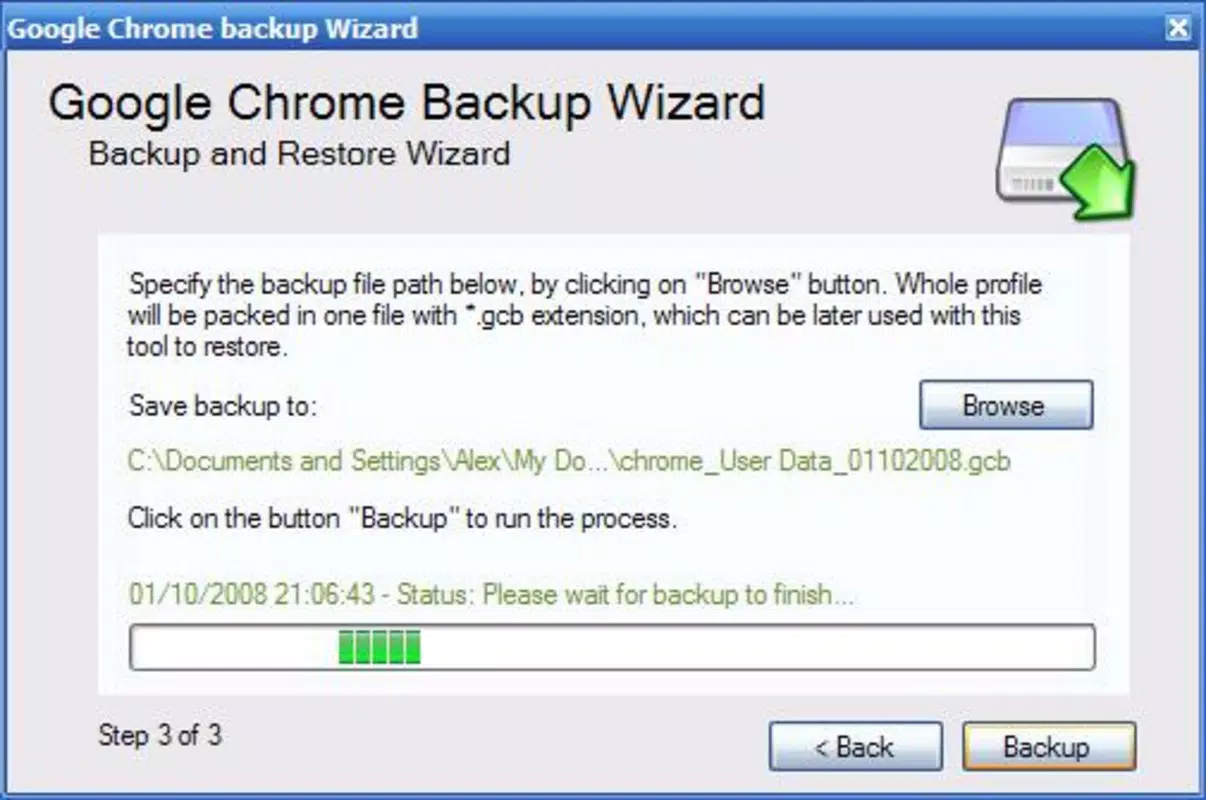
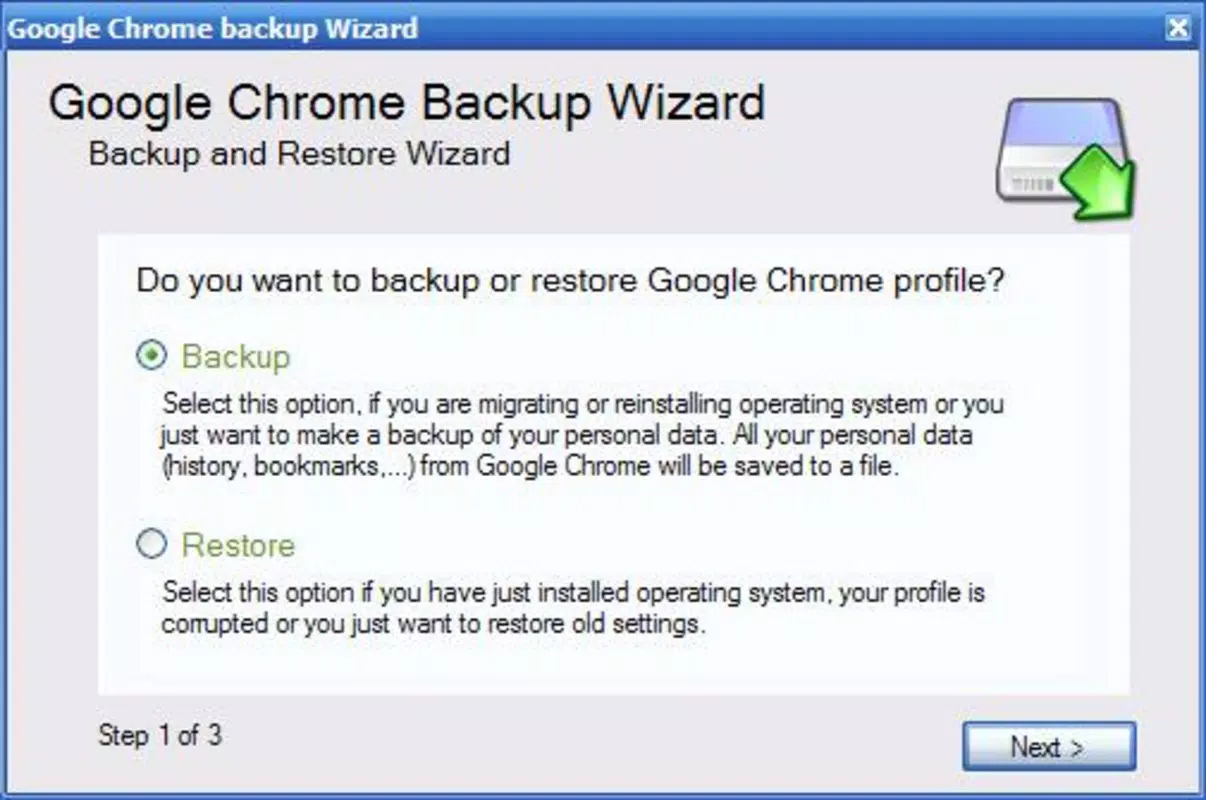
- Two Backup Modes: The app supports both guided and manual backup processes. The assistant mode simplifies the task into three clear steps, ideal for beginners. The manual option allows advanced users to select specific profiles or components, offering greater control over what gets backed up.
- Live Profile Session Support: Users can continue browsing in Chrome while running the backup tool. This feature enables real-time verification of which profile is active, reducing the risk of selecting the wrong one during backup.
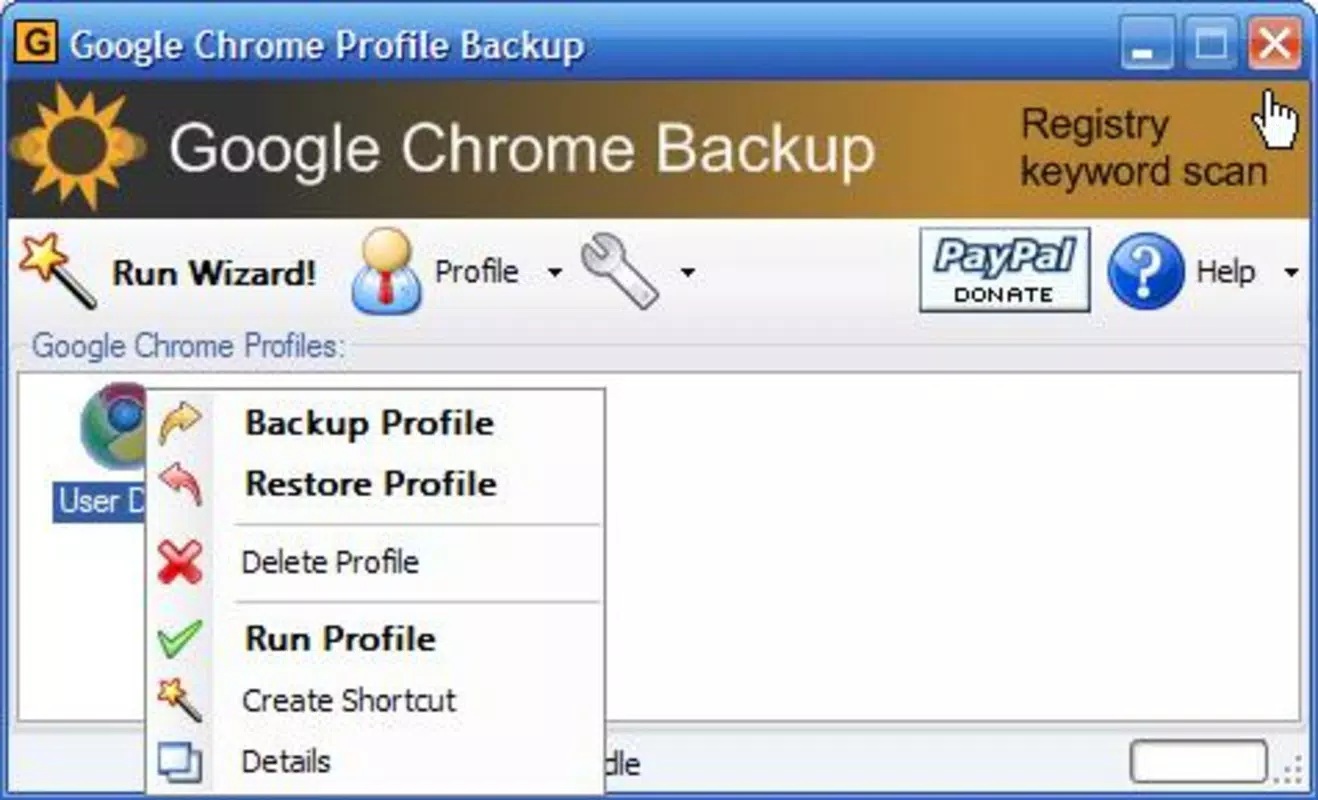
- One-Click Restoration and Deletion: Recovering a profile or removing an outdated backup is possible with minimal interaction. This efficiency ensures that users can respond quickly to data loss events without technical barriers.
- Data Protection Focus: By securing bookmarks, browsing history, saved passwords, and extension configurations, the tool ensures that no critical browser data is left unprotected during system changes.
- Intuitive Interface: The layout emphasizes clarity and ease of navigation, minimizing the learning curve. Step-by-step prompts guide users through each phase, making the tool accessible even to those with limited technical experience.
For example, a student preparing for exams might use the assistant mode to back up their research bookmarks and saved passwords before reinstalling their system. A professional could leverage the manual mode to selectively back up only their work profile, ensuring data isolation and security.
Interface, UX & Performance
Google Chrome Backup features a clean, minimalist interface that prioritizes functionality over visual flair. The layout is organized into logical sections: profile selection, backup options, and management controls. Navigation is linear and predictable, with clear labels and minimal clutter. This design enhances usability across different user skill levels.
Although the developer did not list formal performance metrics, the app’s lightweight footprint of 2.8 MB suggests efficient resource usage. It is likely optimized for responsiveness on mid-range and older Windows systems. The tool operates without significant lag during backup initiation, profile scanning, or restoration. Stability appears consistent, with no reported issues related to crashes or data corruption during standard use.
Users can expect smooth operation during active Chrome sessions, thanks to the background processing capability. The app does not interfere with browser performance, and all operations are completed without requiring system restarts. While detailed compatibility with specific hardware configurations was not disclosed, the small file size and low system demands indicate broad accessibility across various Windows devices.
Platform Compatibility & Technical Requirements
Google Chrome Backup is designed exclusively for the Windows platform. The current version is 1.0.0.0, with a file size of 2.8 MB. The developer did not specify minimum OS requirements or hardware prerequisites. This lack of detailed information means users should exercise caution when installing on older or non-standard systems.
Given the app’s lightweight nature and compatibility with Chrome’s native profile structure, it is likely functional on Windows 7 and later versions. However, without explicit confirmation, users should verify system compatibility before installation. The app does not require administrative privileges for basic operations, but certain backup or restoration tasks may require elevated permissions depending on the target directory.
Pros and Cons
Pros
- Lightweight design with minimal system impact
- Two flexible backup modes for different user needs
- Supports active Chrome sessions during backup
- Simple one-click recovery and deletion
- Free to download and use
- Intuitive interface suitable for all experience levels
Cons
- Platform limited to Windows only
- Developer did not provide OS compatibility details
- No cloud backup integration mentioned
- Version history and update frequency not disclosed
- Does not support multiple browser profiles across different user accounts
FAQ
Is Google Chrome Backup safe to use?
The app is developed by Google LLC and operates within the standard file system permissions of Windows. It does not collect user data or transmit information externally. As with any tool that accesses browser profiles, users should ensure they download it from official sources to maintain security.
Can I back up multiple Chrome profiles at once?
While the app allows selection of individual profiles, it does not specify whether batch backup is supported. Users can back up profiles sequentially, but simultaneous backup of multiple profiles is not confirmed.
Does Google Chrome Backup work on macOS or Linux?
Based on the available information, the app is currently only available for Windows. There is no indication of support for macOS or Linux systems.
How often should I update Google Chrome Backup?
The developer has not disclosed an update schedule or version history. Users are advised to check official sources periodically for new releases, especially if compatibility with future Chrome versions becomes a concern.
Can I restore a backup on a different computer?
Yes, backups created with Google Chrome Backup can be transferred and restored on another Windows machine, provided the target system has Google Chrome installed. The restoration process is independent of the original device.
Final Thoughts
Google Chrome Backup delivers a focused, reliable solution for users seeking to protect their browser data. Its simplicity, low resource usage, and clear interface make it a valuable tool for anyone who depends on Chrome for daily tasks. While its Windows-only availability and lack of cloud integration are limitations, the app excels in its core mission: preventing data loss through easy, accessible backups.
For students, professionals, and casual users alike, the ability to quickly back up and restore Chrome profiles offers peace of mind. The absence of a price tag further enhances its appeal. If you’ve ever faced the frustration of losing bookmarks or saved passwords, this utility could be the safeguard you need.
Download Google Chrome Backup now


